The AI Designer Setup Guide
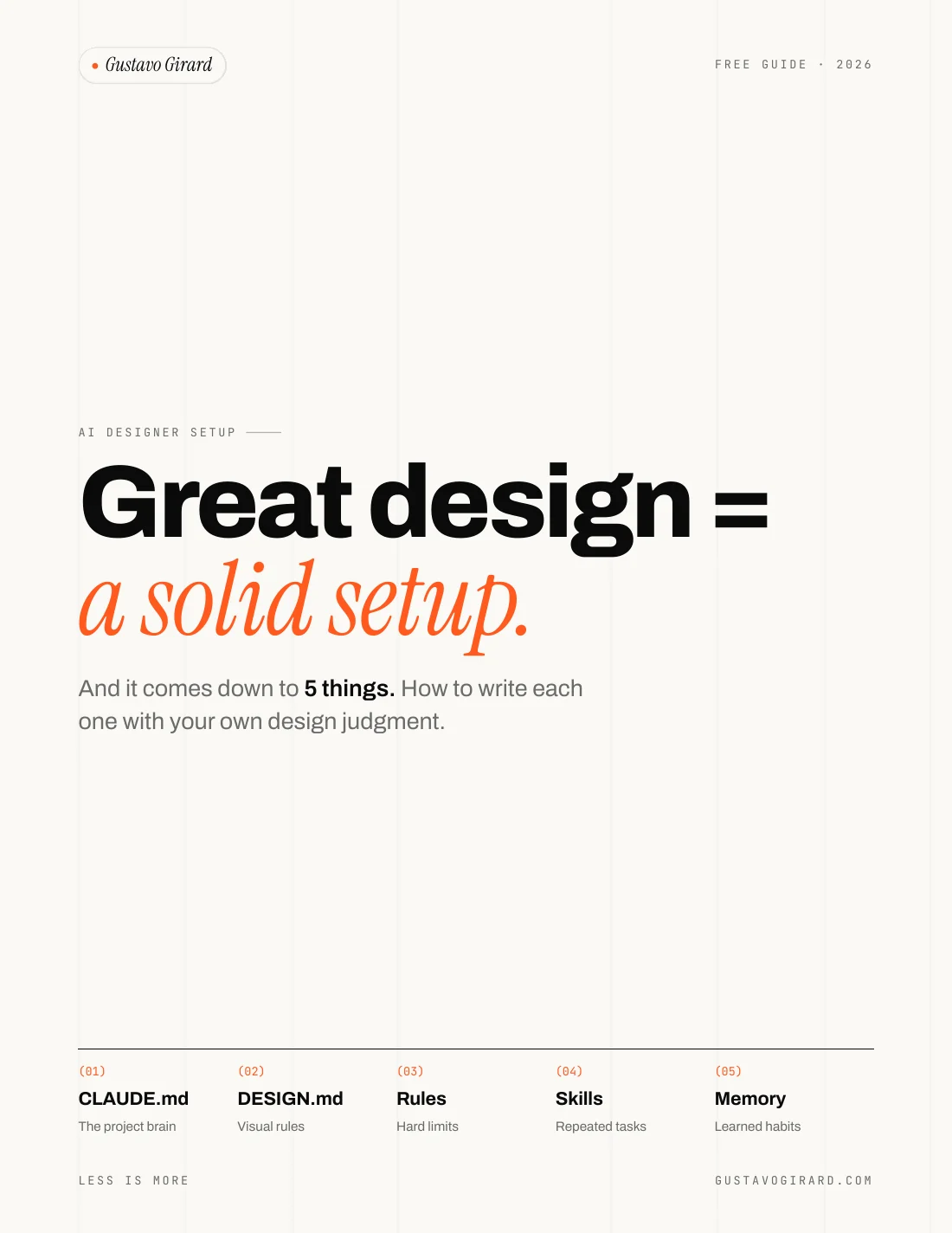
Great design doesn't come from the prompt. It comes from what the AI reads before it: your setup.
What is in the guide?
The AI Designer Setup Guide is a free 10 page PDF by Gustavo Girard that shows designers how to set up Claude Code so it produces work that looks like their product. It covers five things the AI reads before your prompt: CLAUDE.md, DESIGN.md, rules, skills and memory. Each section gives a structure to fill in and the questions to answer with your own design judgment, so the result is not a copy of someone else's setup.
CLAUDE.md
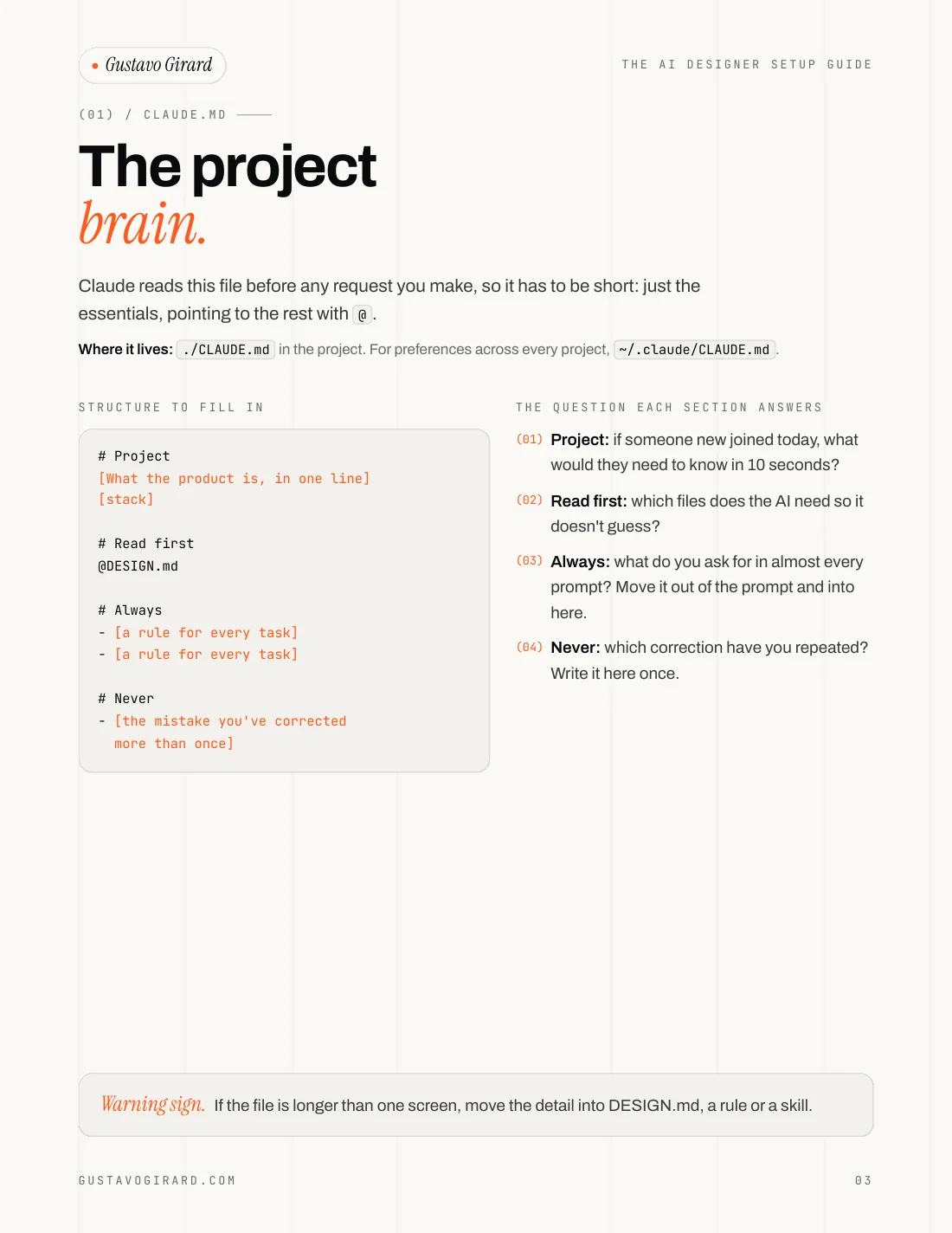
The project brain.
Claude reads this file before any request you make, so it has to be short: the essentials, and pointers to the rest.
- Where it lives
- ./CLAUDE.md, or ~/.claude/CLAUDE.md for every project
- A question it asks you
- If someone new joined today, what would they need to know in 10 seconds?
DESIGN.md
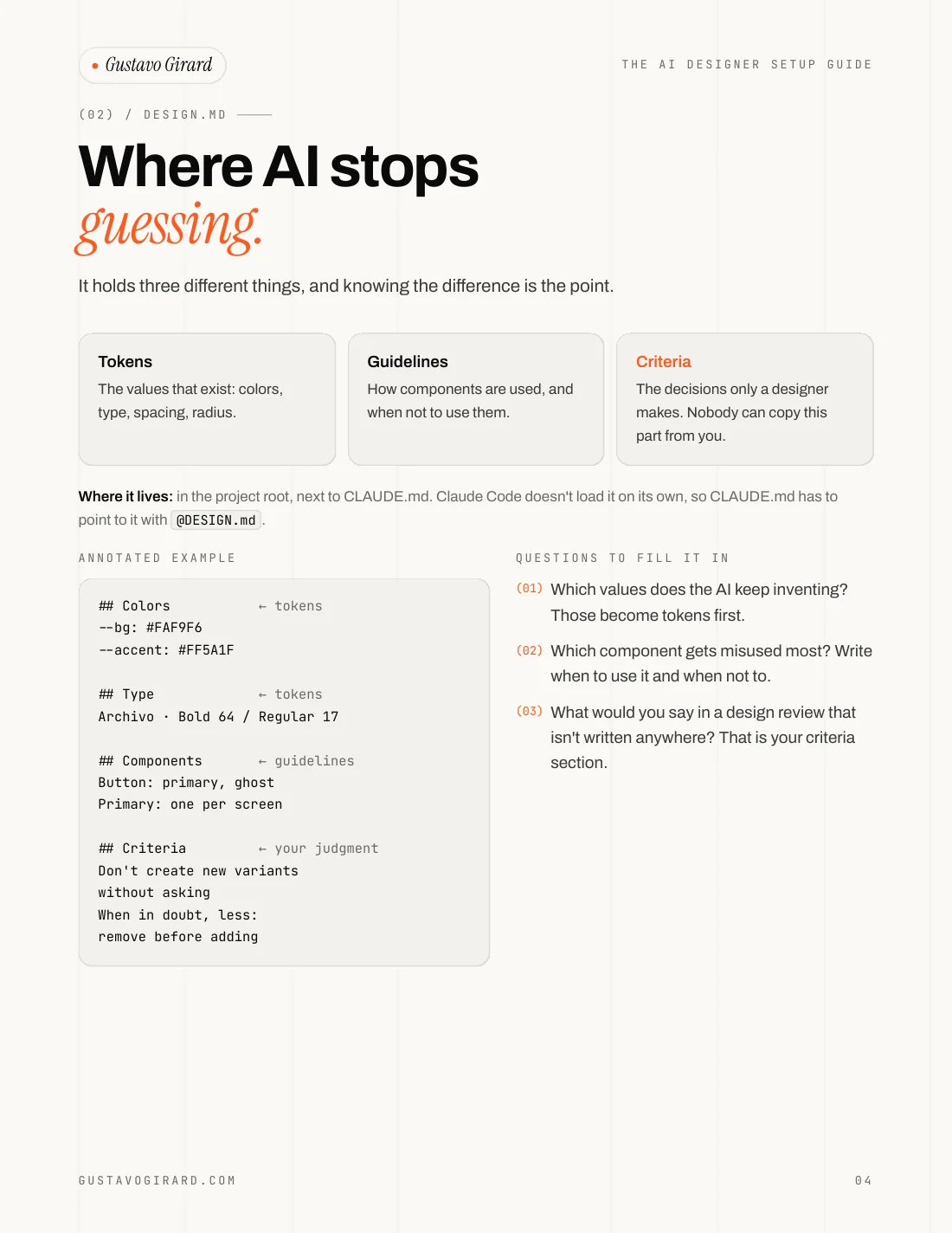
Where AI stops guessing.
It holds three different things: tokens (the values that exist), guidelines (how components are used) and criteria (the decisions only a designer makes).
- Where it lives
- Project root, next to CLAUDE.md, which points to it with @DESIGN.md
- A question it asks you
- What would you say in a design review that isn't written anywhere?
Rules
One rule per topic.
DESIGN.md says what exists. Rules say what never to do, and only where it matters, so your UI rules stay out of the way when you are fixing an API.
- Where it lives
- .claude/rules/, one .md file per topic
- A question it asks you
- Which correction have you already made twice?
Skills
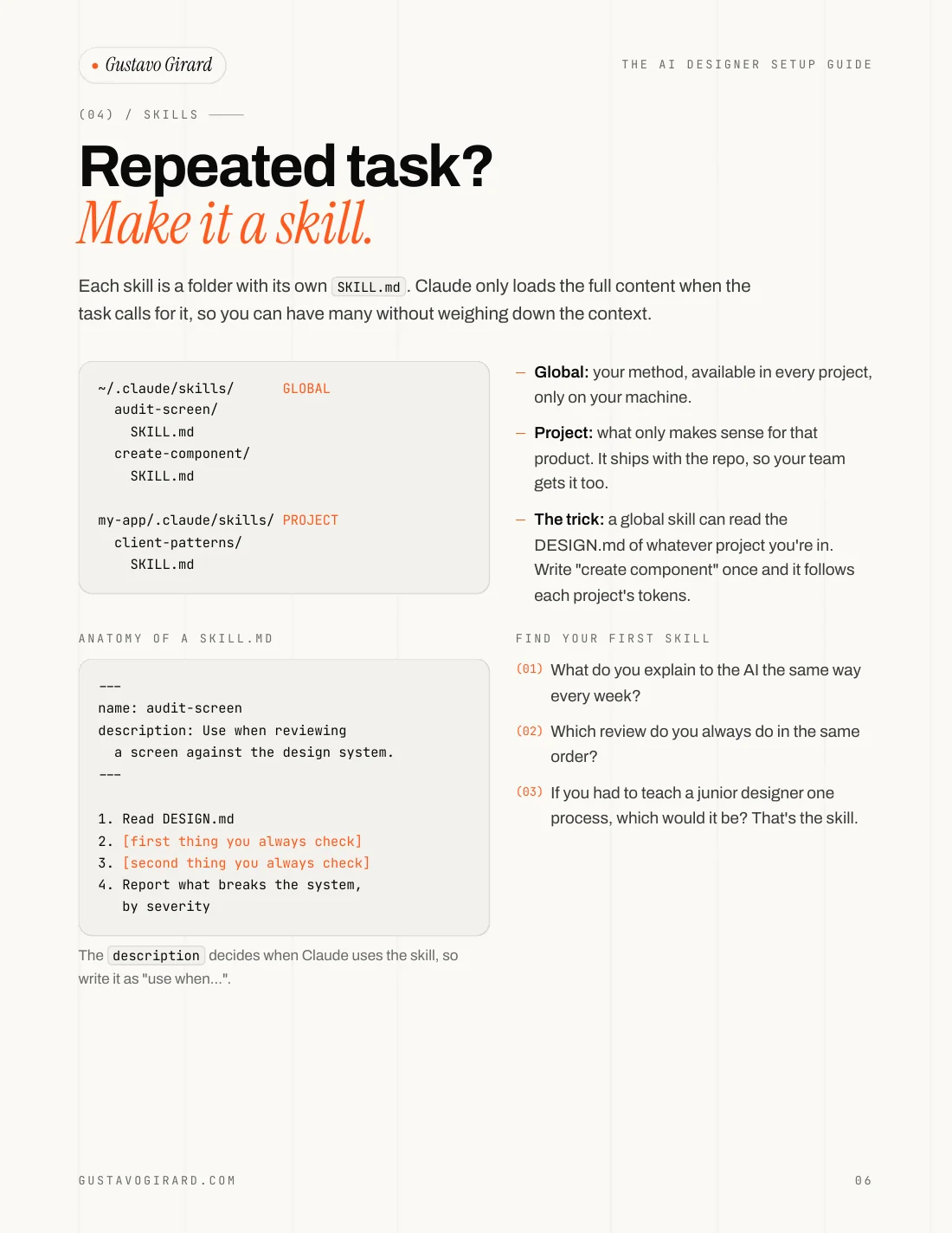
Repeated task? Make it a skill.
Each skill is a folder with its own SKILL.md. Claude only loads the full content when the task calls for it, so you can have many without weighing down the context.
- Where it lives
- ~/.claude/skills/ for your method, .claude/skills/ for one product
- A question it asks you
- If you had to teach a junior designer one process, which would it be?
Memory
What it learns from you.
The only part you don't write: every correction becomes a note, and next session it already knows. The guide ends with a checklist to review it.
- Where it lives
- ~/.claude/projects/<project>/memory/MEMORY.md
- A question it asks you
- Which notes are no longer true?
What does it look like inside?
The AI Designer Setup Guide is built to be filled in, not read once. Every section pairs a short template with the question each line answers, and the placeholders are marked so you can see what to replace with your own criteria. It opens with where things live (global or project), then one page per file, two pages on skill security, and a five step checklist to start small.
Why build your skills instead of installing them?
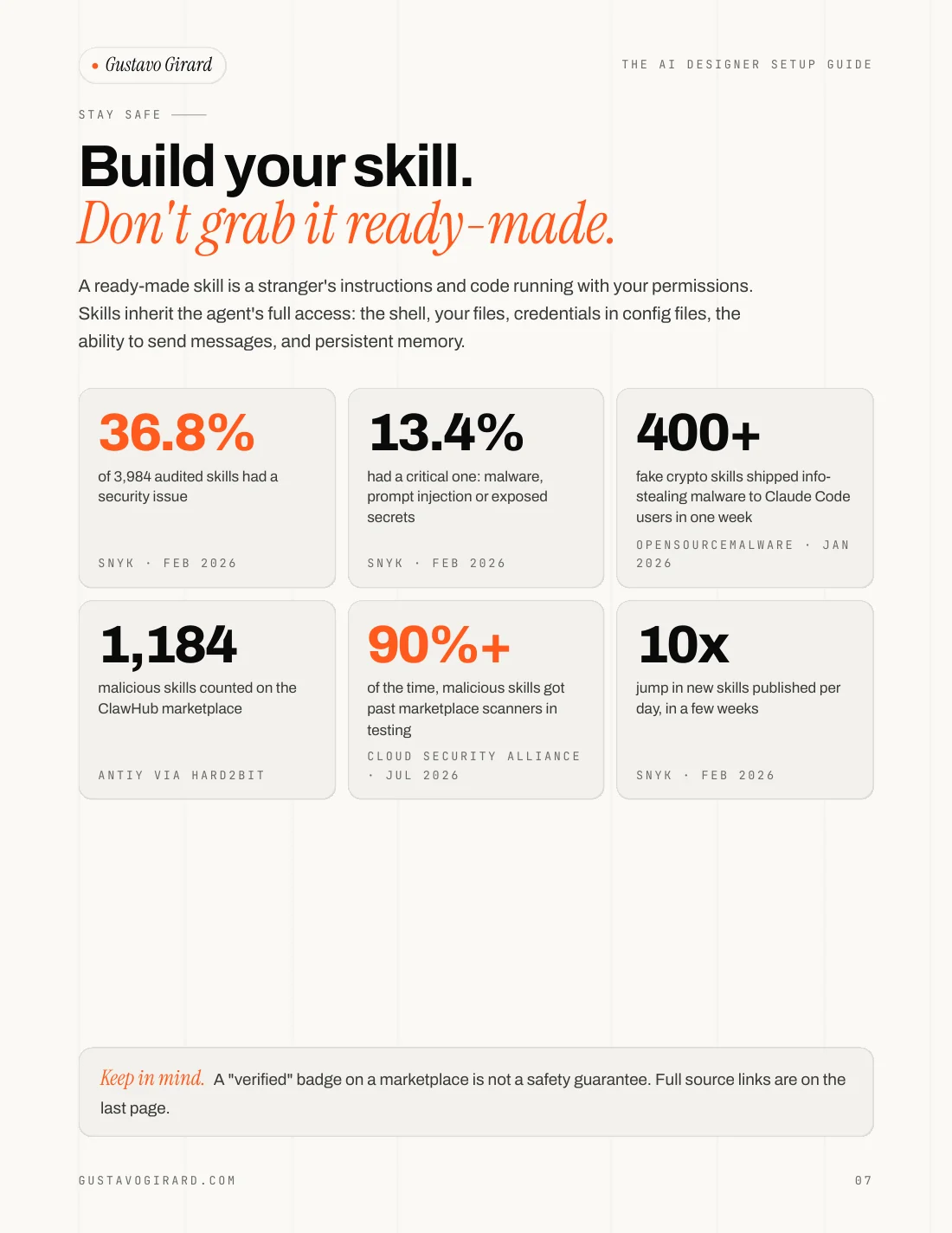
The AI Designer Setup Guide argues for writing your own skills because a ready-made skill is a stranger's instructions and code running with your permissions. Skills inherit the agent's full access: the shell, your files, credentials in config files and persistent memory. Public audits in 2026 found security issues in more than a third of the skills they checked. There is a design reason too: someone else's skill carries someone else's criteria, so your output looks like everyone else's.
of 3,984 audited skills had a security issue
Snyk, Feb 2026had a critical one: malware, prompt injection or exposed secrets
Snyk, Feb 2026of the time, malicious skills got past marketplace scanners in testing
Cloud Security Alliance, Jul 2026Want the e-book when it is out?
AI-Powered Product Design: My e-book goes deeper: my own setup, real product cases and the full stack. A refined edition is on the way.
What do people ask about the setup?
The AI Designer Setup Guide leaves a few practical questions open before you download it: whether it is really free, whether you need to code, how the files differ and whether a ready-made skill is safe to install. The short answers are below, and the longer ones are in the PDF.
What is an AI designer setup?
An AI designer setup is the set of files an AI coding agent reads before it acts on your prompt. In Claude Code that means five things: CLAUDE.md for project context, DESIGN.md for visual rules, rules for hard limits, skills for repeated tasks and memory for learned habits. The setup, more than the prompt, decides whether the output looks like your product.
Is the AI Designer Setup Guide free?
Yes. The guide is a free 10 page PDF and the download needs no email and no account. Leaving your email is optional, and it is used for one thing: a single message when the AI-Powered Product Design e-book is out.
Do I need to know how to code to use it?
No. Every file in the guide is plain text written in Markdown, and the guide gives the structure and the questions to answer. What you bring is design judgment: the tokens the AI keeps inventing, the component it misuses most, and what you would say in a design review.
What is the difference between CLAUDE.md and DESIGN.md?
CLAUDE.md is the short file Claude reads before any request: what the product is, what to read first, what to always do and what to never do. DESIGN.md holds the visual rules: tokens, component guidelines and your criteria. Claude Code does not load DESIGN.md on its own, so CLAUDE.md points to it with @DESIGN.md.
Should I install ready-made Claude Code skills?
Treat a ready-made skill as code from a stranger. Read the whole SKILL.md and every script in the folder, look for downloads, encoded text and requests for keys or passwords, and prefer official or well-known sources. The guide's advice is to use it as a reference and then rewrite it in your own words, with your criteria.
Does the guide work with tools other than Claude Code?
The file names and folders in the guide are Claude Code's. The method behind them is not tied to one tool: write down the project context, the visual rules, the hard limits and the processes you repeat, and keep them short enough to be read every time.
Start small. One good file today beats five empty ones.
Download the PDF